The student planner app for iPhone that keeps everything in one place
Tasks, calendar, semesters, modules, flashcards and a Pomodoro timer — NowOne replaces the five apps you're juggling with one planner built for university life.
Download free on the App Store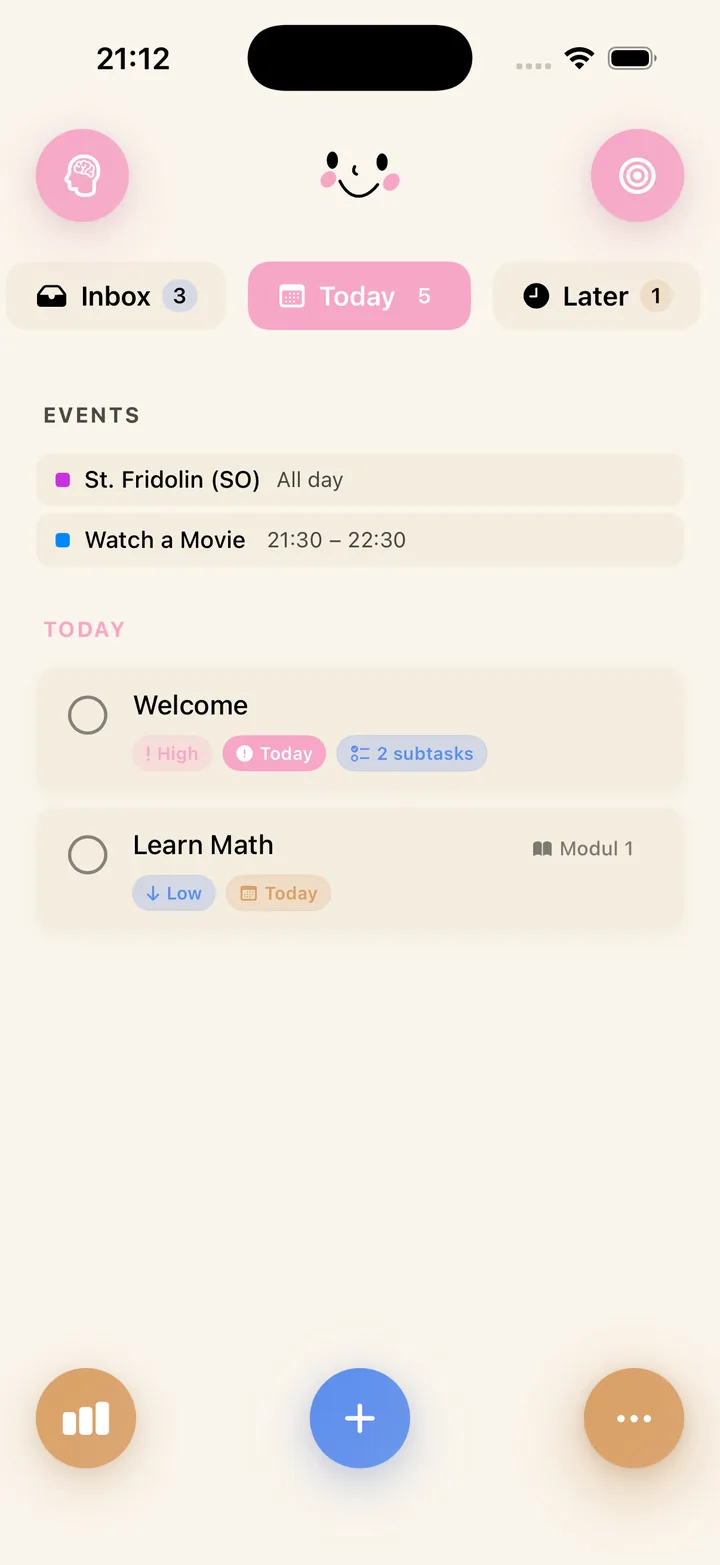
Capture everything, then plan what today actually looks like
Most planners fail because everything lands in one endless list. NowOne sorts your work into three simple zones:
- Inbox — brain-dump every assignment, reading, and errand the moment it appears.
- Today — the short list you actually plan to finish.
- Later — everything with a deadline that isn't today's problem.
Add priorities, due dates, and subtasks in one tap — or skip typing entirely and speak your task: voice-to-task turns "essay deadline moved to the 14th" into a captured to-do before you've left the lecture hall.
Organised the way university is organised
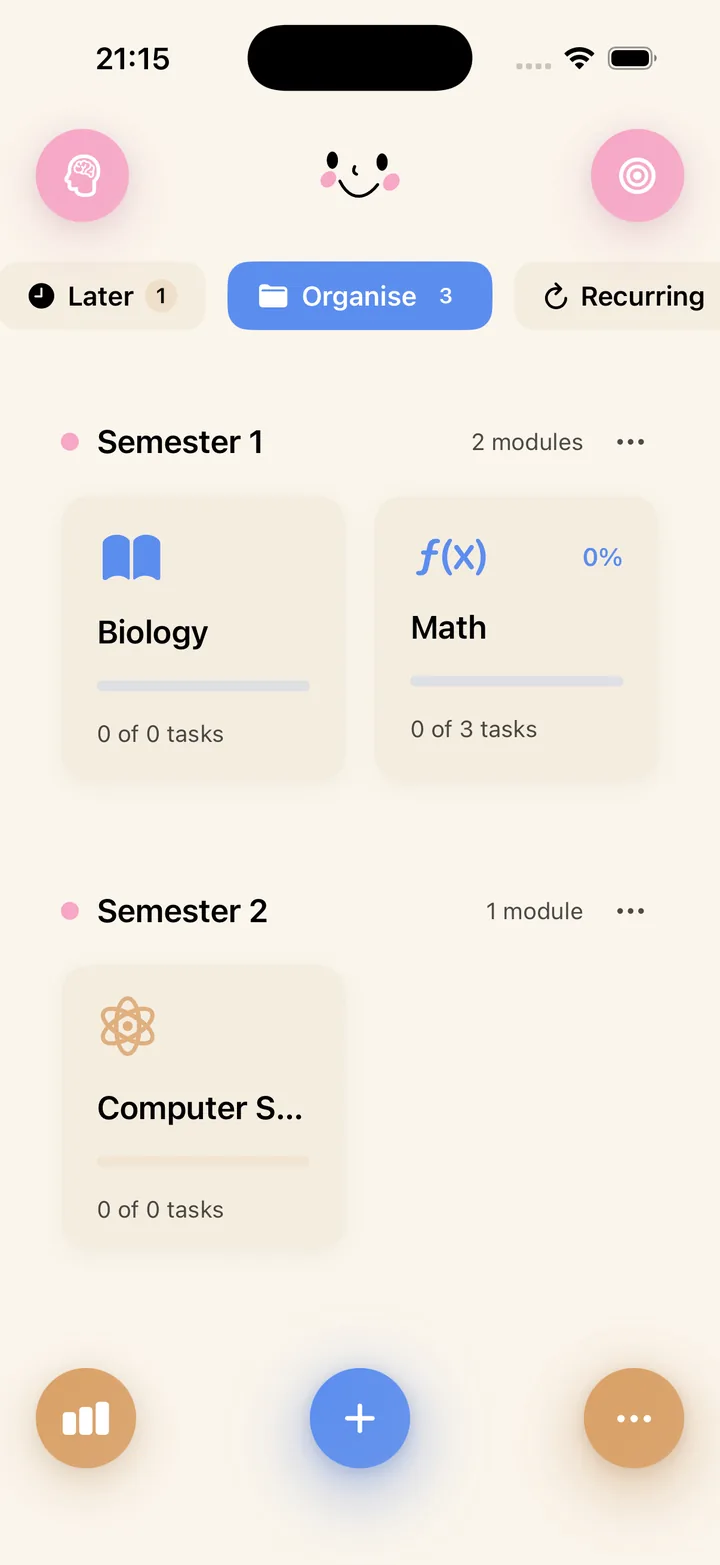
Your degree isn't a flat to-do list — it's semesters and modules. NowOne mirrors that structure: create a semester, add your modules, and every task, deadline, and flashcard deck files itself under the right subject.
Progress bars per module show you at a glance which course is under control and which one needs attention this week. It works like a semester planner and a daily to-do list at the same time.
See your progress, not just your backlog
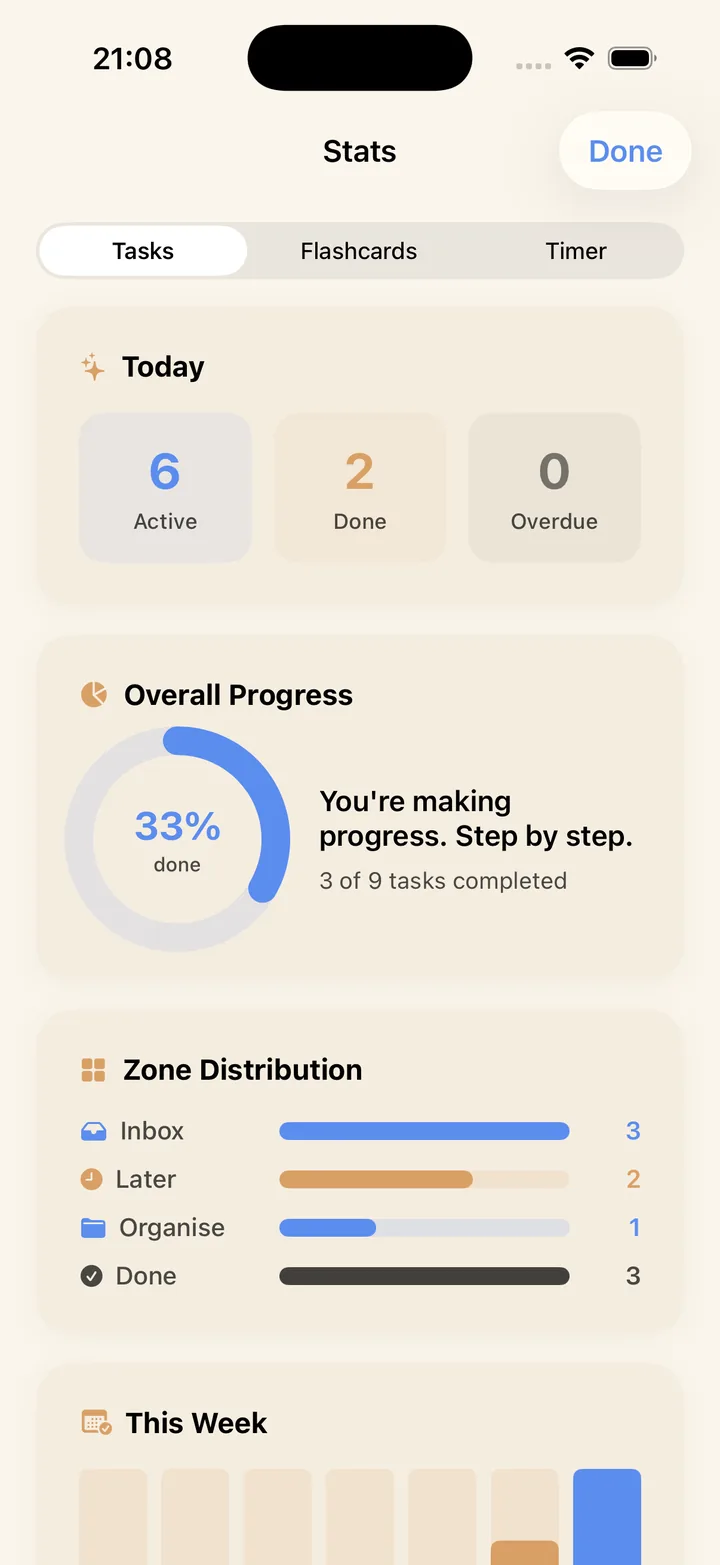
NowOne tracks what you complete and shows it in clear charts: active, done, and overdue tasks, plus how your work is distributed across zones and modules.
When it's time to focus, start a Pomodoro session right from a task, or review the flashcards linked to it — no app-switching, no lost momentum.