Plan your entire semester, module by module
A flat to-do list can't hold a degree. NowOne structures your work into semesters and modules — with progress bars that show exactly where you stand in every course.
Download free on the App Store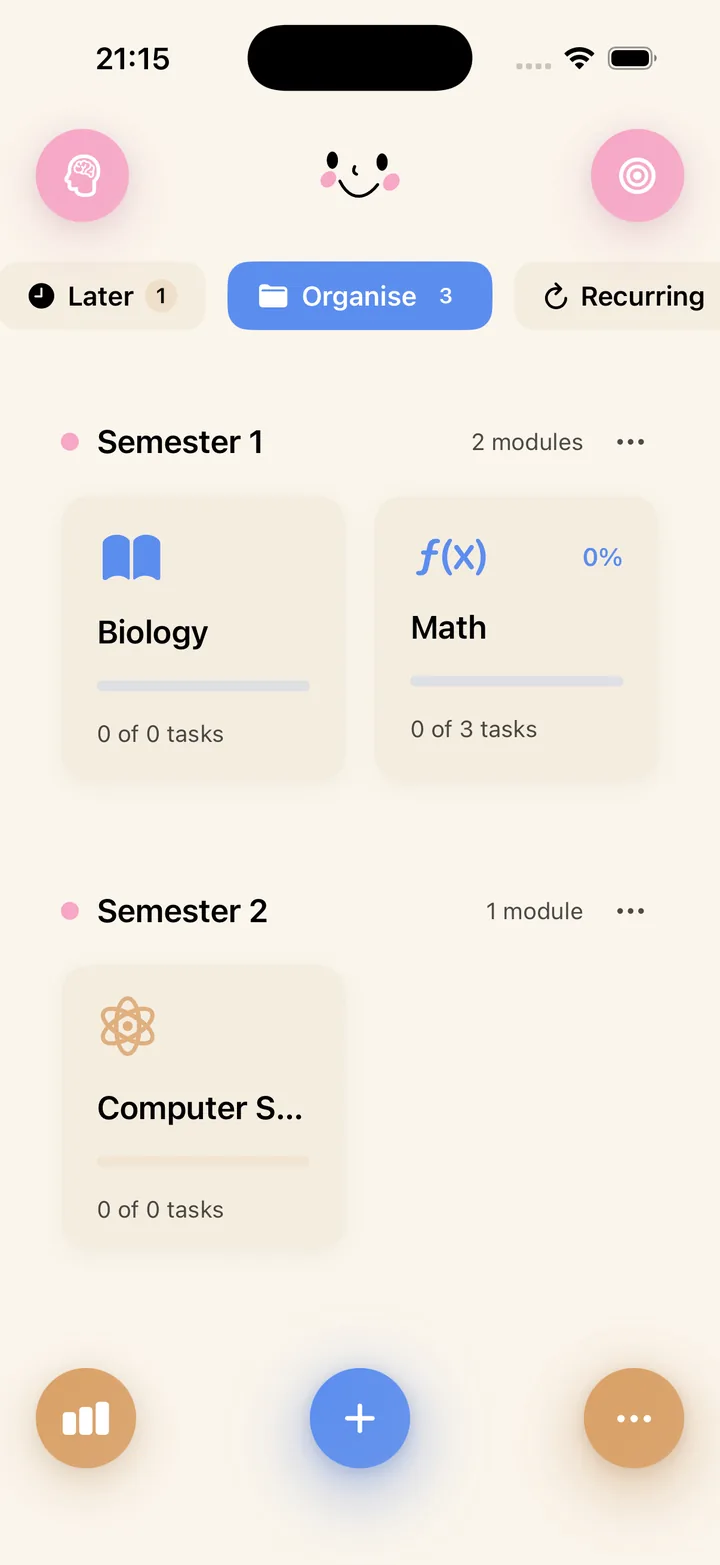
Your degree's structure, inside your planner
Set up a semester, add your modules, and NowOne becomes a map of your term. Every task and deadline belongs to a course, and every course shows a progress bar — so "how am I doing in Statistics?" has an actual answer.
At a glance you can spot the module that's quietly falling behind while another eats all your attention.
From syllabus week to exam week, without the panic
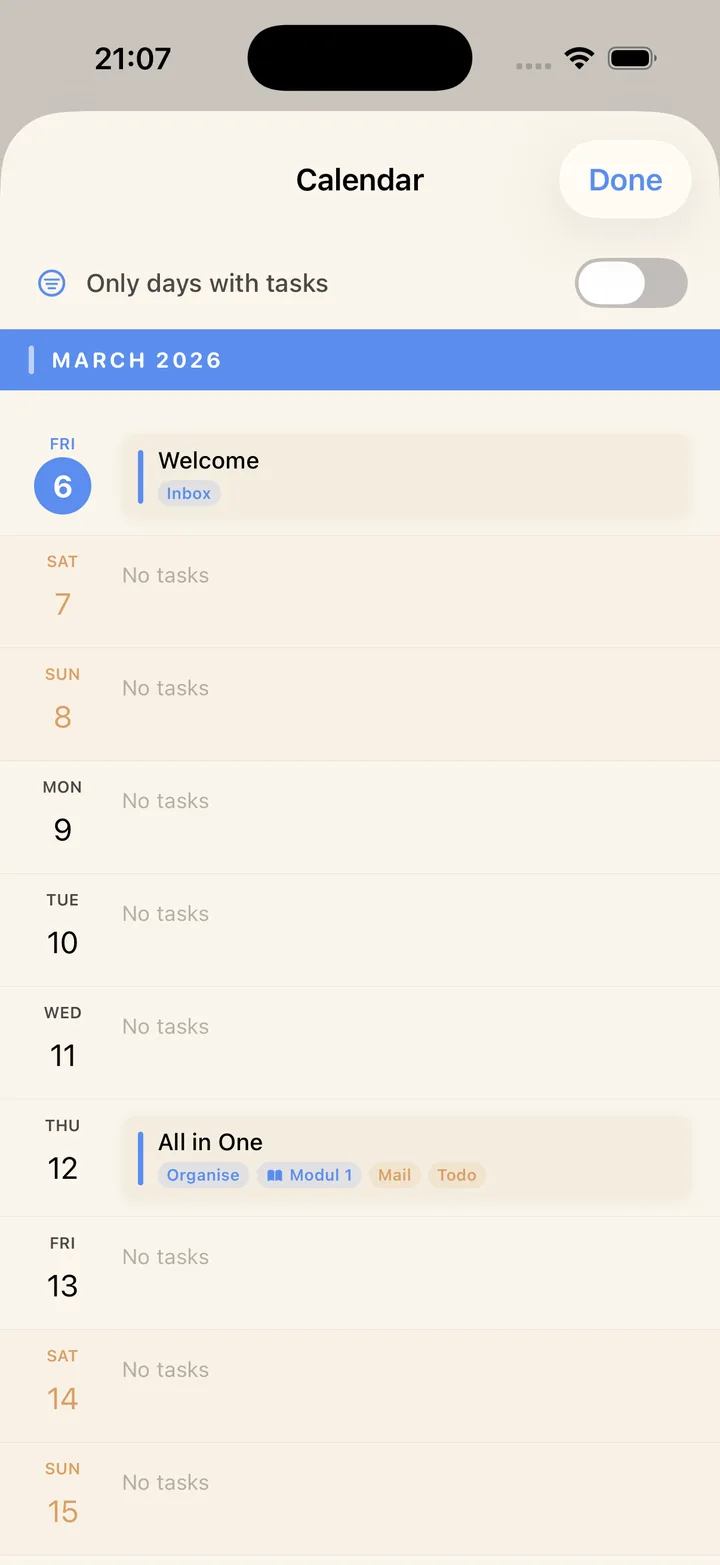
Enter your deadlines once at the start of term and the calendar spreads your whole semester out in front of you. Heavy weeks become visible a month early — which is when there's still time to do something about them.
Our guide on how to plan your semester in one afternoon walks through the exact setup.
A plan you'll actually execute daily
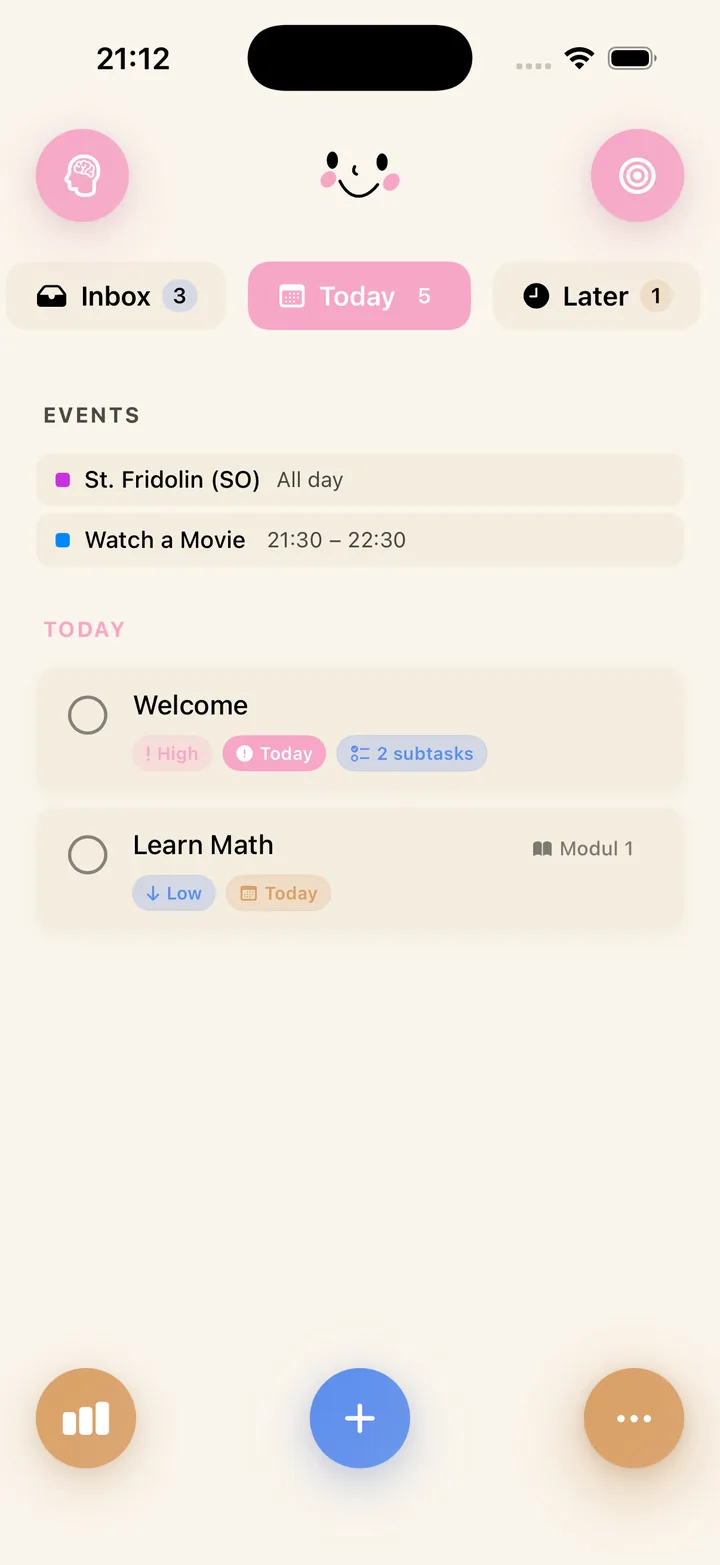
A semester plan only works if it turns into daily action. NowOne's Inbox/Today/Later zones translate the big picture into a short, doable list each morning — and Pomodoro sessions and flashcards are attached to the same tasks.
Plan once per term, adjust once per week, execute every day. One app for all three.